
Multi-Monitor Viewing Distance Advisor
Estimate a suitable viewing distance for one, two or three monitors based on screen size, aspect ratio, portrait or landscape orientation, and field-of-view criteria used in ergonomics and human factors design.
Why multi-monitor distance matters
A multi-monitor workstation can improve productivity, but it can also increase visual span, neck rotation and eye movement if the monitors are too large, too close or arranged poorly.
This tool calculates the recommended viewing distance using the combined display envelope of the monitors selected by the user. This gives a more realistic recommendation than using a single generic arm’s-length rule.
Design basis used in this tool
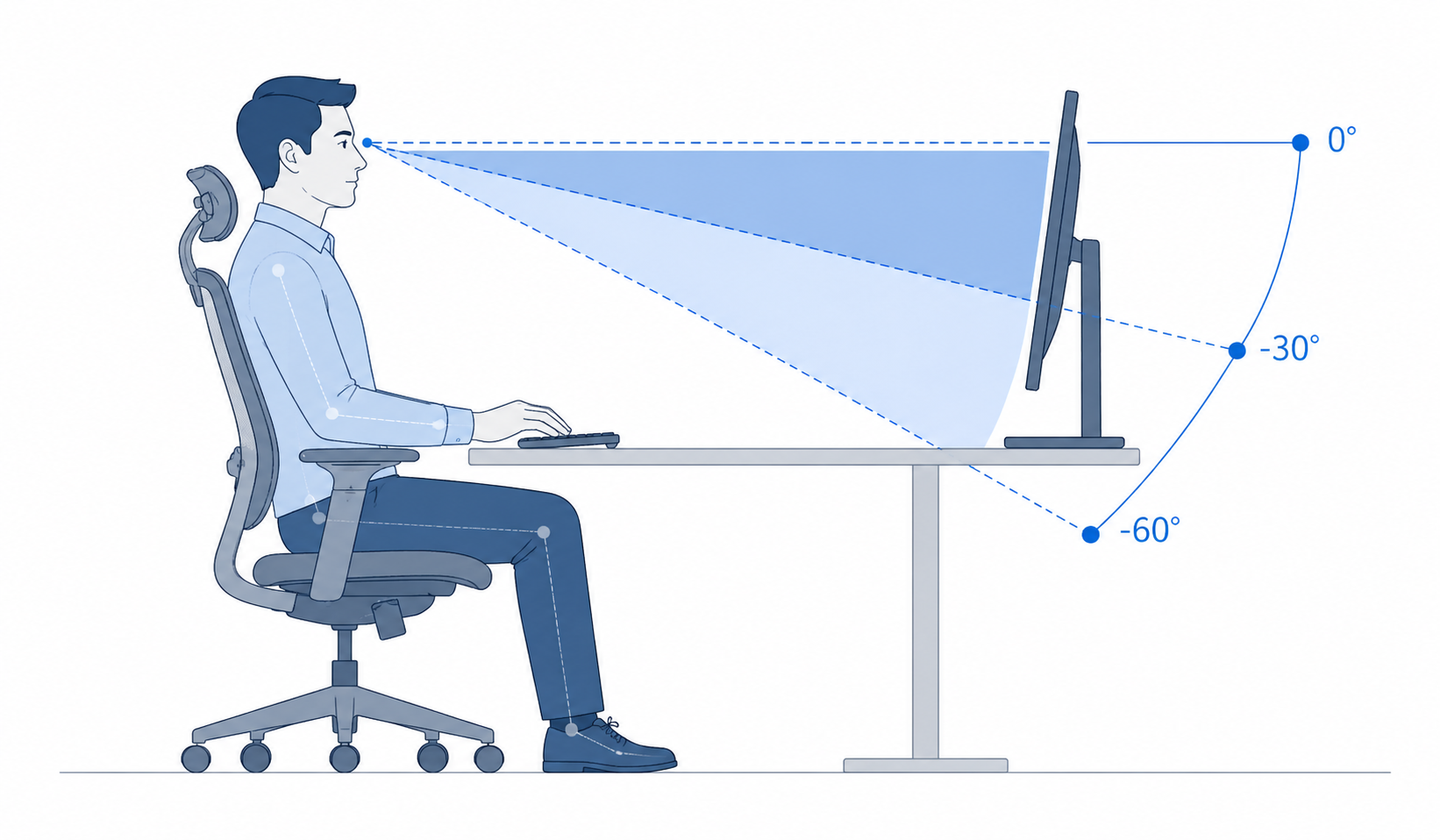
No head rotation, with the screen generally below the horizontal eye line.
Acceptable for easy head movement or reclined sitting postures.
Preferred horizontal viewing zone applied by this tool for the full monitor arrangement.
More conservative horizontal reference value retained for comparison.
Calculate monitor distance from field of view
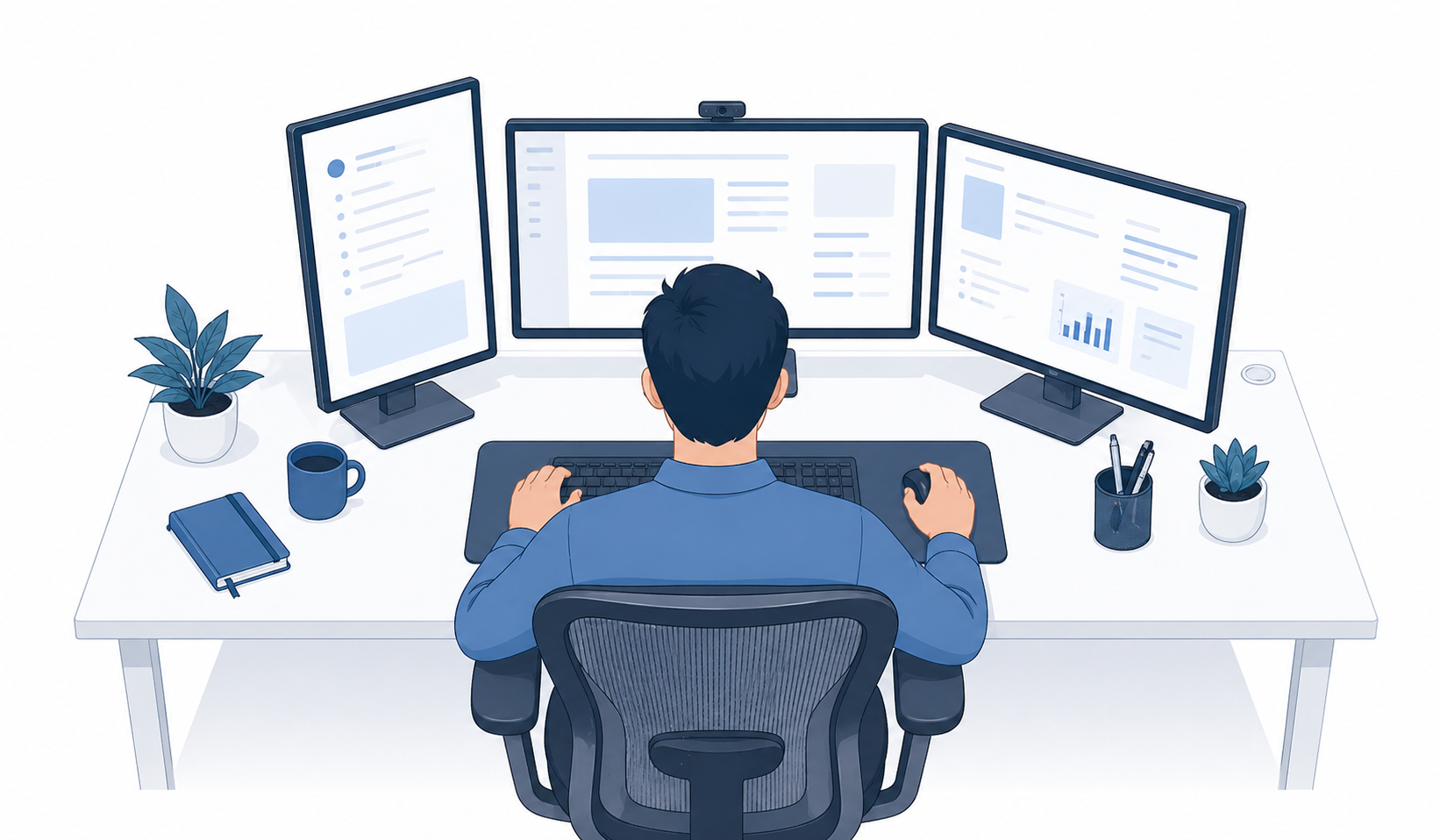
Select up to three monitors. Each monitor can be set as landscape or portrait. The tool assumes the monitors are arranged side-by-side in a horizontal row and calculates the distance based on the total visual width and maximum screen height.
Monitor 1
Monitor 2
Monitor 3
Friendly reminder: This tool is intended as a simple guide to help users think about monitor viewing distance and screen arrangement. It is based on simplified field-of-view geometry and does not replace a professional workstation assessment, vision assessment, medical advice, or a detailed ergonomics evaluation. If you or your team experience eye strain, neck discomfort, shoulder pain, or need support with a complex workstation setup, IEH recommends seeking professional ergonomics advice.
Need help with a real workstation setup?
This calculator gives a useful starting point, but every workstation and user is different. For office ergonomics assessments, multi-monitor workstation reviews, discomfort cases, or workplace-wide ergonomics programmes, IEH can provide professional ergonomics and human factors support.
1. Use the primary monitor in front
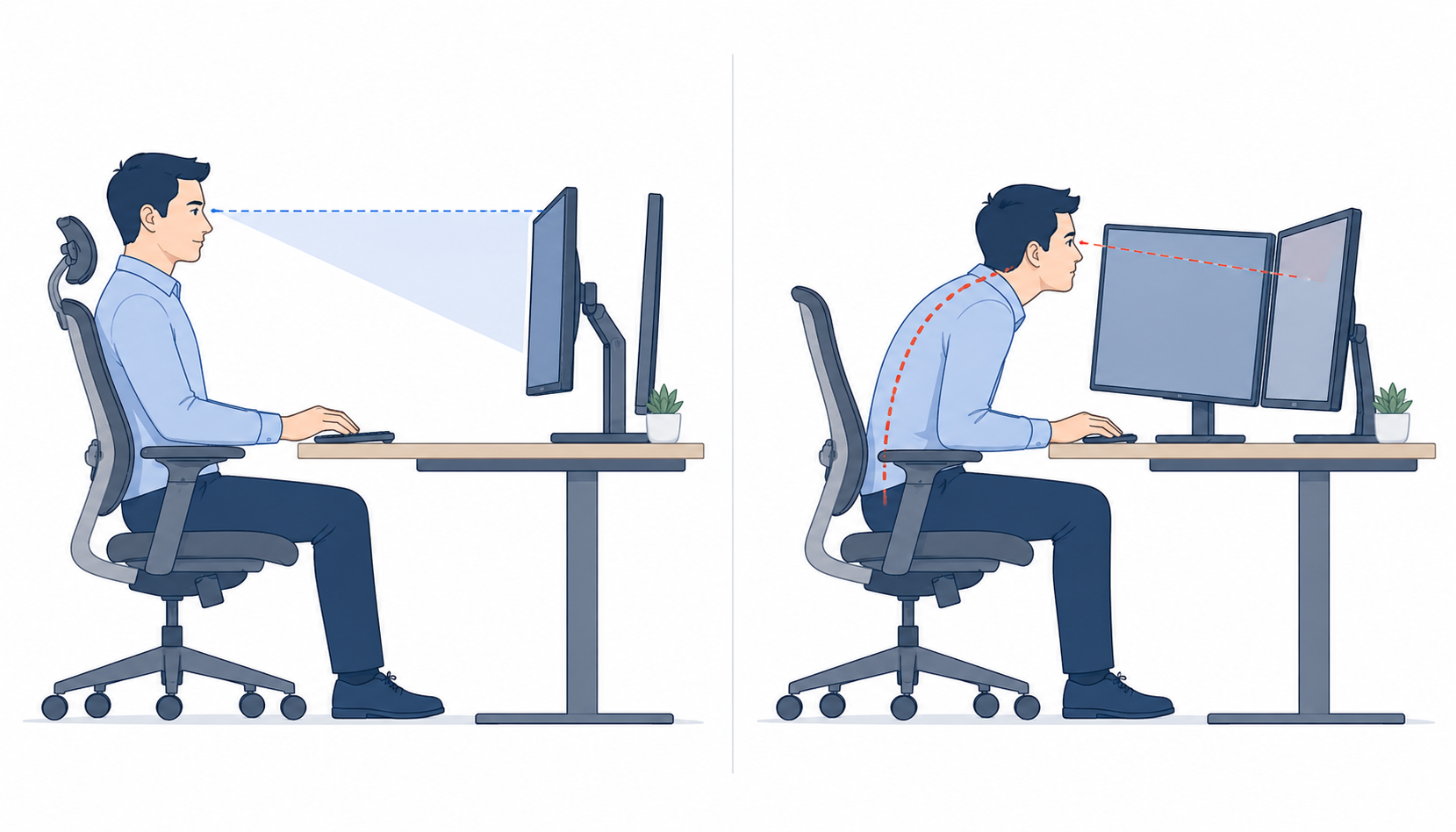
The most frequently viewed monitor should be placed directly in front of the user. Secondary monitors should be angled inward and used for reference or occasional viewing.
2. Large arrays increase viewing distance
Two or three monitors create a wider visual envelope. If the full array must remain within the optimal field of view, the required distance may be much greater than typical arm’s-length guidance.
3. Portrait screens change the limiting factor
Portrait monitors are narrower but taller. This may reduce horizontal visual demand while increasing vertical viewing demand, especially if the top edge is above eye level.
Calculation method
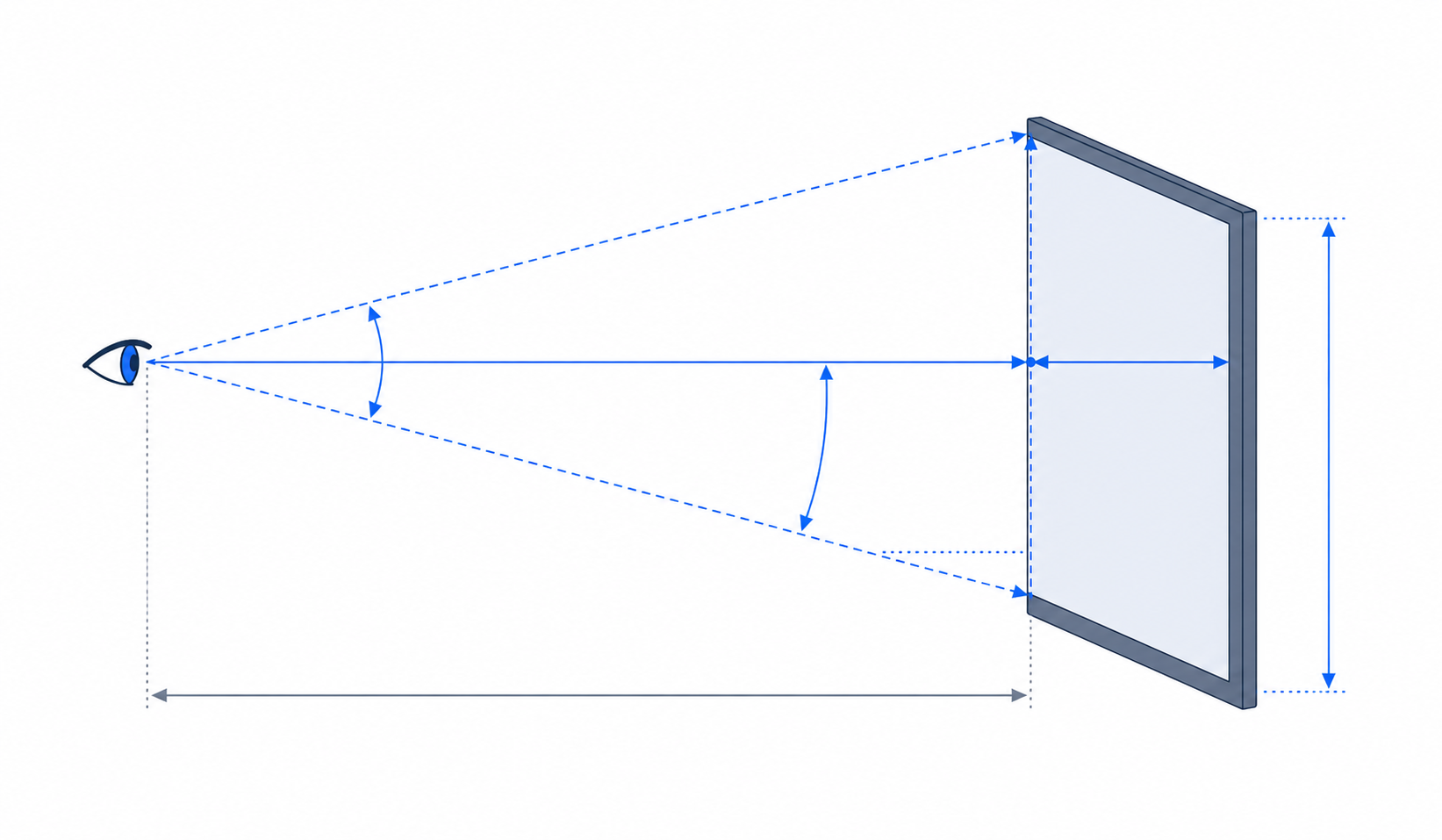
Each monitor diagonal size and aspect ratio is converted into physical screen width and height. If portrait orientation is selected, the width and height are swapped.
For a side-by-side monitor row, total display width is calculated as:
sum of monitor widths + gaps between monitors.
The display height is calculated using the tallest active monitor. Horizontal viewing distance is calculated from the half display width and the horizontal field-of-view limit. In this version, the optimal horizontal viewing angle is set at ±45°:
distance = half display width ÷ tan(horizontal angle).
Vertical viewing distance is calculated from maximum screen height, top-edge angle and the lower vertical
viewing limit:
distance = screen height ÷ (tan(top edge angle) - tan(lower viewing angle)).
The final recommended distance is the larger value from the horizontal and vertical calculations, because the display setup must satisfy both criteria.